Supplier Submission Purchase
A read-only record of exactly what a supplier keyed in and sent back through the online quote link you gave them. One is captured, frozen, each time a supplier clicks "Submit" on the portal — so you always have a faithful copy of their offer, even if things change later.
Where to find it: the Supplier Submission screen in the menu.
What it is
When you send a Purchase RFQ to a supplier as an online link, they fill in their prices and submit. That submission is snapshotted here as a permanent, view-only record. It's your proof of what was offered and the raw material you weigh up when deciding who to buy from.
The list
The list shows every submission, newest first — with the supplier quote number and revision, the supplier's own reference, the supplier, the linked sales RFQ, when it was submitted, the currency, subtotal and total, the number of lines, and the valid-until date.
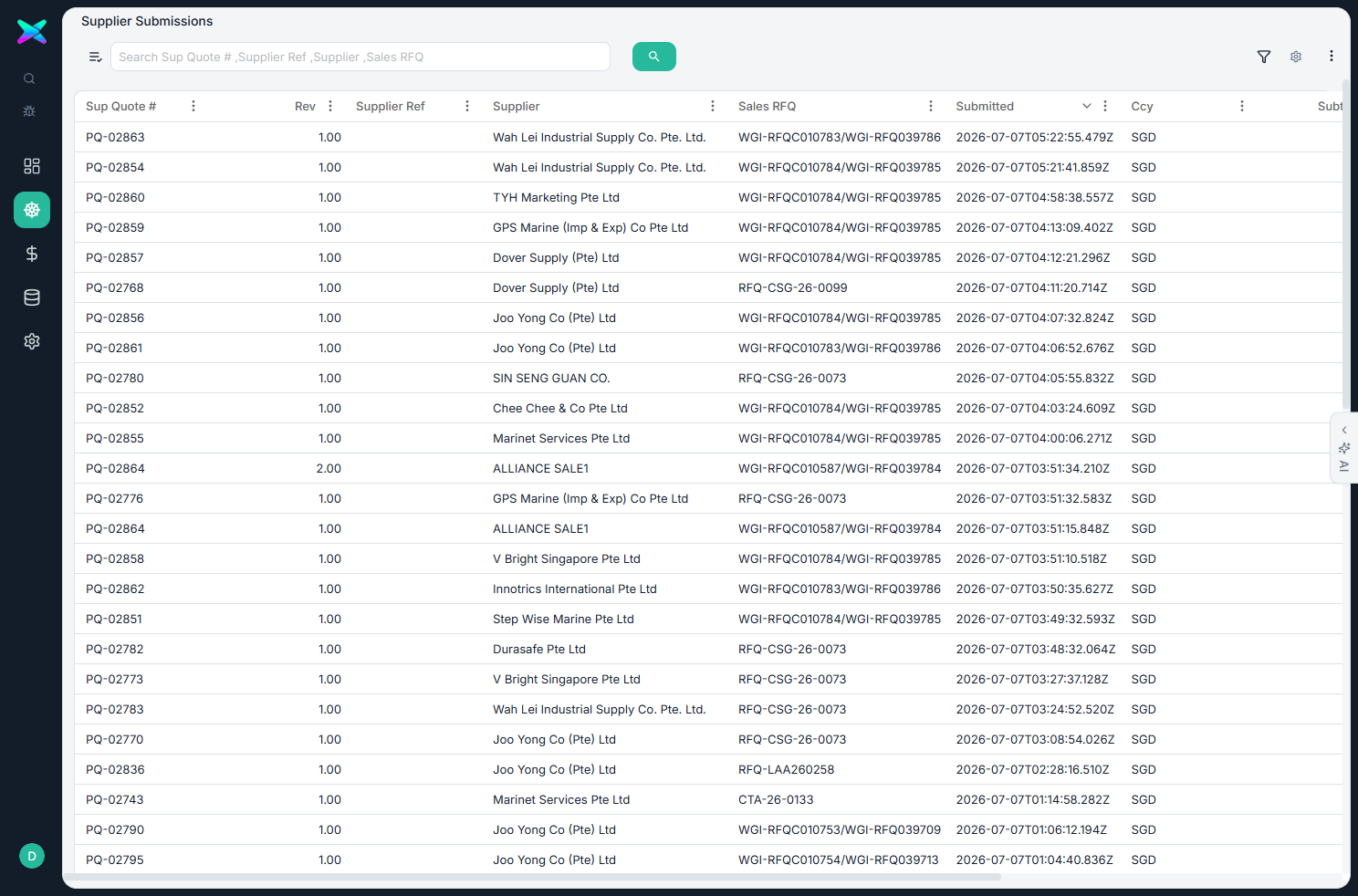
The detail view
Opening a submission is view-only — the header is stamped "Read-only snapshot captured at supplier submit." It shows:
| Section | What you see |
|---|---|
| Submission Summary | The supplier and their reference, the sales RFQ and port call, the valid-until date, currency, when and by whom it was submitted, the line count, and the subtotal and total. |
| Line Items | Each line the supplier priced — description / remark, part number and brand, quantity, unit, offered price and amount. If the supplier proposed an alternative, a dashed Substitute Offer block shows their alternate item and price. |
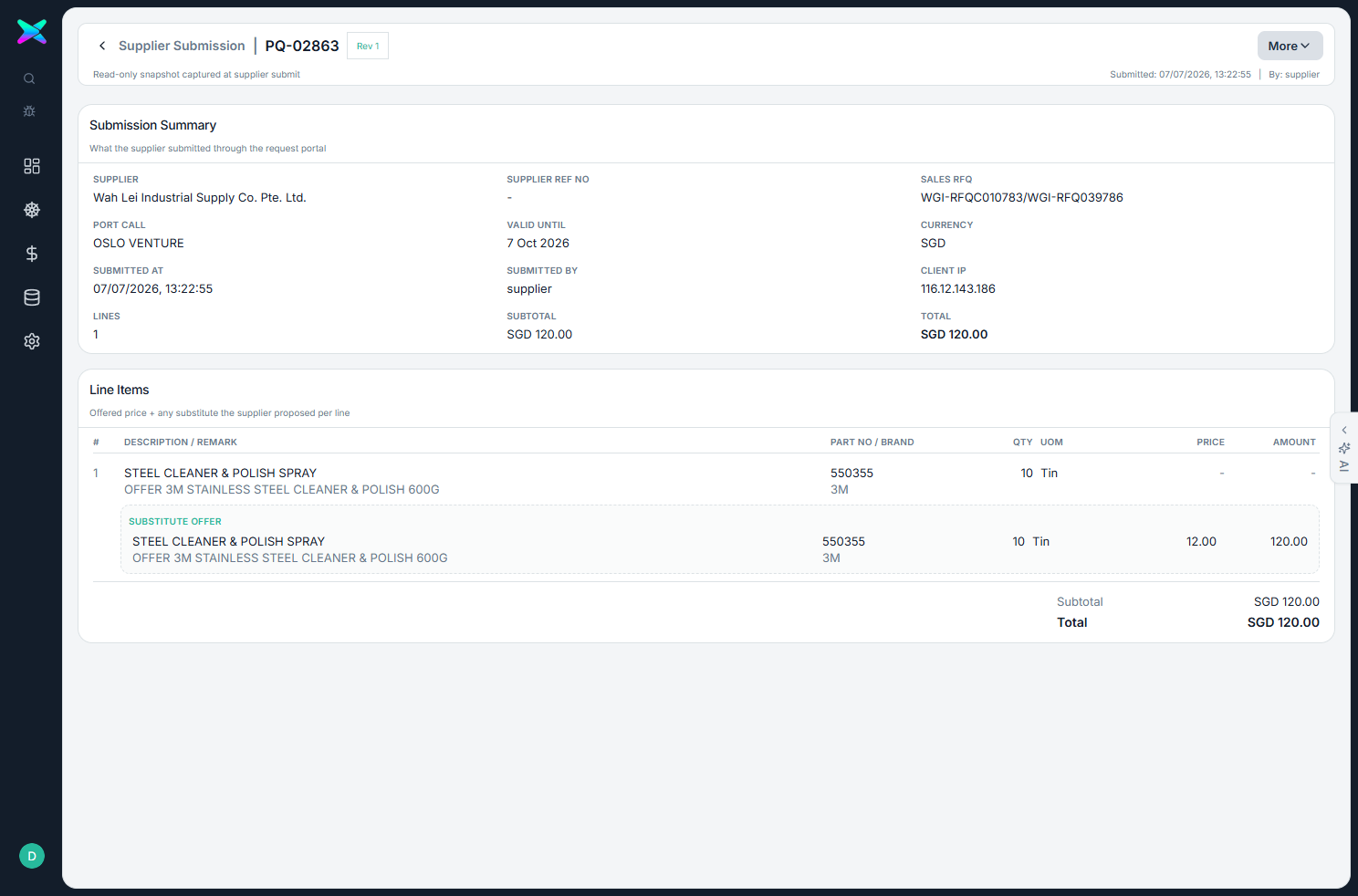
What you can do
- View only. There's nothing to add, edit or delete here — it's a faithful record of the supplier's submission. You search, filter and open submissions to read them.
⬆ Where it comes from
- A supplier submitting their prices through the online link on a Purchase RFQ.
⬇ What happens next
- These become the competing offers you weigh up and award in the Workbench, then turn into a Purchase Order.
What you can print
Nothing — it's an on-screen record only.