Product Catalogue Master
The Product Catalogue is your list of everything you supply — each item with its IMPA reference code, its units of measure, and the code names your customers and suppliers use for it. It's the source you pick from for every line on every document.
Where to find it: the Product Catalogue screen in the menu.
What it is
The catalogue holds one record per product. Each one carries the item's name and description, its IMPA code (the standard marine catalogue number), the units it's measured in, and any alternative codes your customers or suppliers use for it. Set an item up once and it's ready to add to any quote, order or delivery.
The list
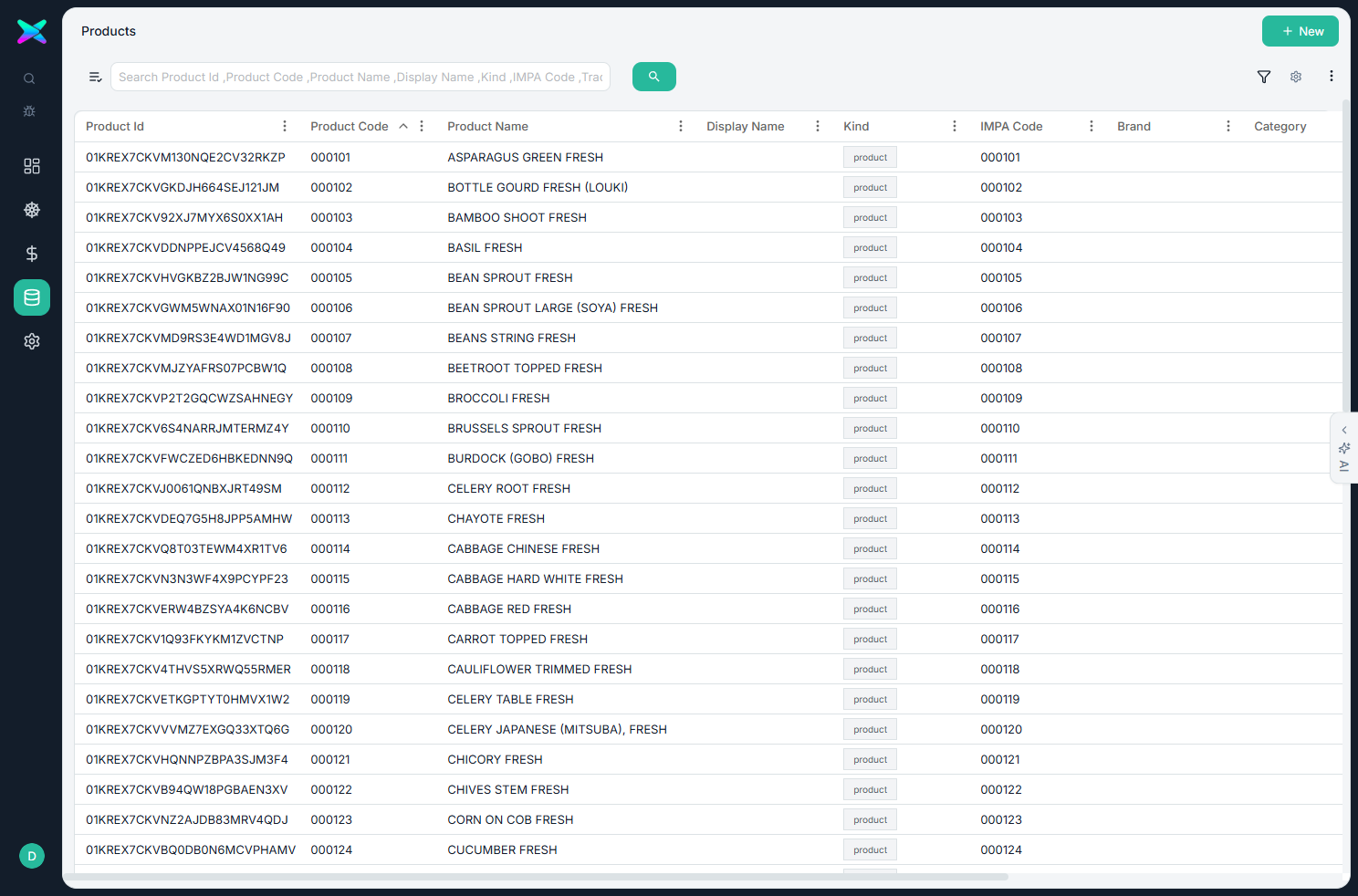
The Product list shows every catalogue item with its IMPA code and description. Each row carries a status badge and a coloured badge showing whether it's goods or a service. Search or filter to find an item, click a row to open it, or use + New to add one.
The form
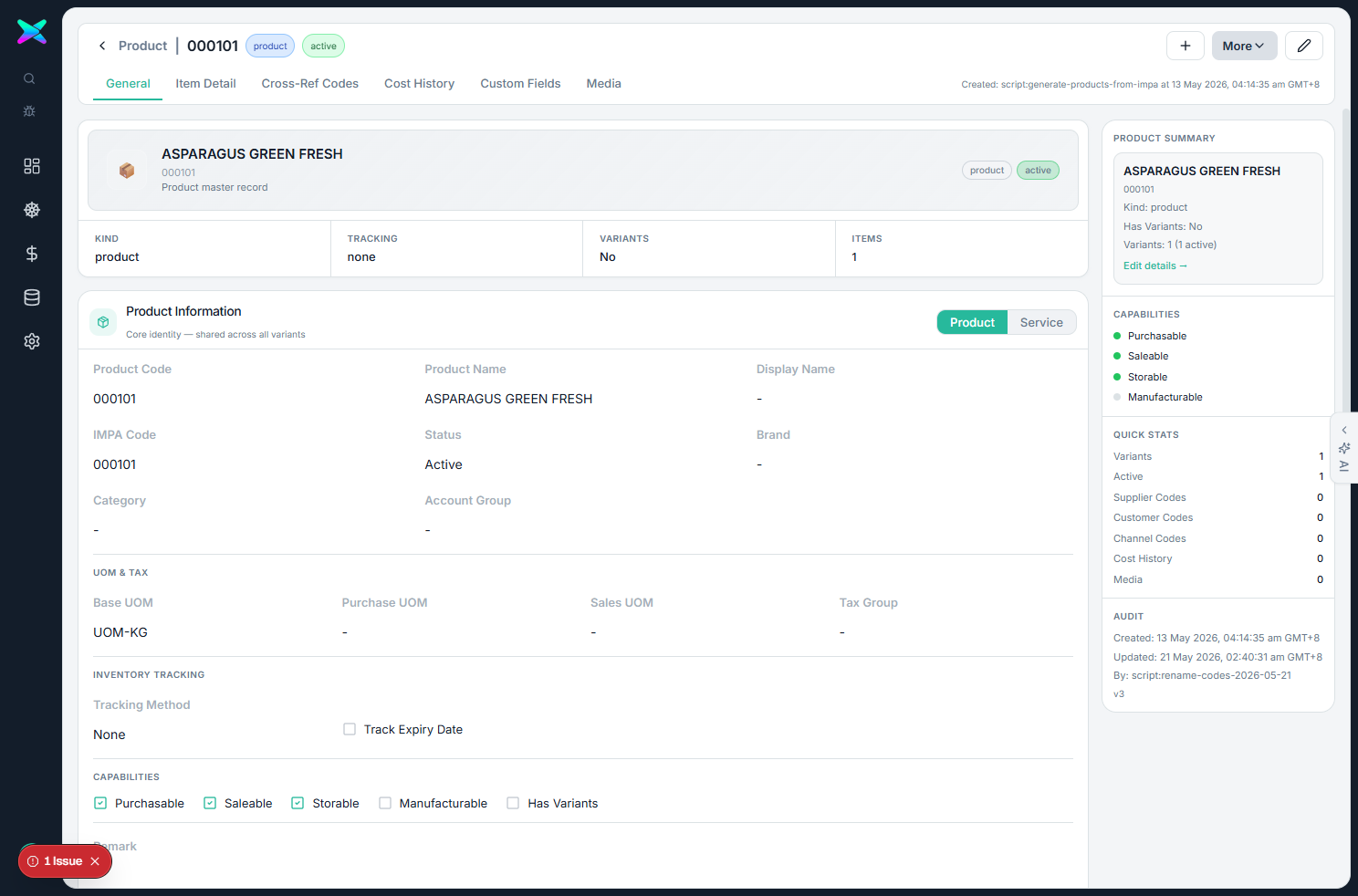
The form is organised into tabbed sections:
| Section | What you fill in |
|---|---|
| Product Information | Name, IMPA code (6 digits), description, whether it's goods or a service, and the base, purchase and sales units of measure. |
| Variants | The individual versions of a product, shown only when the product has variants. |
| Item Detail | Extra attributes for the item. |
| Cross-Reference Codes | The codes your customers use and the codes your suppliers use for this item. |
| Cost History | A running record of past costs — added to over time, never overwritten. |
| Custom Fields | Any extra fields set up for your company. |
| Media | Pictures of the product. |
What you can do
- Use the IMPA code as the item's key reference — it's how imported lines on RFQs and POs are matched back to the catalogue when you verify them.
- Add customer and supplier codes. Record the code a customer or supplier uses for an item so imports recognise their code and map it to your item.
- Keep a cost history that builds up over time and helps work out costs on RFQs.
- Handle single items or variants, with separate base, purchase and sales units.
How to use
- Click + New and enter the name, IMPA code, description and units.
- Add any customer or supplier codes so imports recognise their code names.
- Save — the item can now be picked on any document that has line items.
⬆ Where it comes from
- You set items up yourself. They can also be created automatically when a quote or import brings in an item that isn't in the catalogue yet.
⬇ What happens next
- Items are picked on every document with lines: Sales quotes and orders, Purchase RFQs and orders, goods receipts, invoices, delivery, picking and packing, and all the inventory screens.
What you can print
Nothing is printed from this screen. Catalogue items show up as the line rows on the documents you raise, but the catalogue itself has no printout.